LoRA Adapters Explained: Efficient Fine-Tuning for LLMs Without Retraining
March 18, 2026
4 Minutes Read
Introduction (TL;DR)
Low-rank adaptation (LoRA) adapters are a lightweight alternative to specialize large language models (LLMs) without retraining the entire model.
Instead of modifying billions of parameters, LoRA introduces a small set of additional weights that “plug in” to an existing base model and adapt it to a specific task or domain. A model can often be adapted with LoRA using a fraction of the resources of a datacenter GPU.
For teams deploying LLMs, this means faster experimentation, lower infrastructure costs, and the ability to build domain-specific AI systems without retraining entire models from scratch.
What are LoRA adapters?
Low-rank adaptation (LoRA) adapters are a parameter and compute efficient way to specialize a general purpose LLM. Thanks to a comprehensive training dataset, base instruct LLMs often have broad-spanning knowledge. However, when faced with esoteric tasks, these LLMs often struggle, leading to hallucinations and drop in output quality.
As the adapter name suggests, the idea is to augment a base LLM with something to excel at a task. Think of it like putting on snow chains on tires: the car can probably move fine without it but it’ll have a bad day on the snowy roads.
The add-on that we introduce is a small set of new weights that are aligned to the base model’s parameters. Suppose a base model has an output dimension N, say 4,096; the LoRA adapters’ output will match this dimension. This allows the adapters to be “plugged-in” as they interact with the base model only through vector additions.
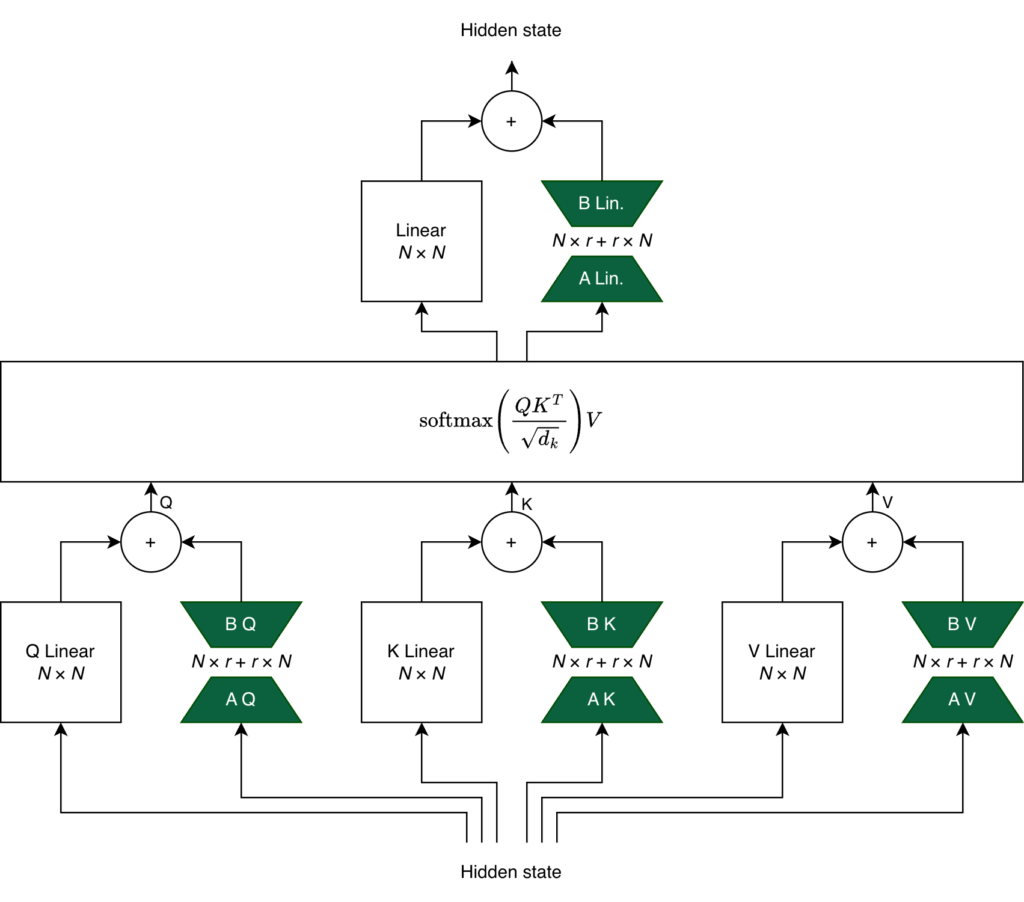
However, LoRA‘s special sauce is the low-rank part of its name. Instead of training a full 4,096 by 4,096 matrix, you train two matrices A and B of sizes 4,096 by r and r by 4,096, respectively. Commonly, r is set to small numbers like 8, 16, 32, or 64 which cuts down training parameter size by at least 97% (in this particular case) compared to full fine-tuning.
Training a LoRA adapter is:
freezing the base model’s weights and
only training the adapter weights which are added into the output of hidden layers.
The green trapezoids below depict the LoRA adapters in the QKV and also in the Linear layer after the scaled dot-product attention.
Why LoRA adapters are good
LoRA adapters relaxes resource constraints and streamlines deployments.
LoRA adapters are easy on compute resources. According to LLama Factory, a 7B model is estimated to need 120GB VRAM to completely fine-tune; prepare to rent a datacenter GPU (e.g. H200). However, the same model only requires a bit more than 1/8th the resource to train a LoRA adapter. Extrapolating down, users may be able to fine-tune 16-bit 3B models on a 8GB GPU. That is well within the realm something you could do at home with consumer hardware.
LoRA adapters are highly modular. Separating the base model and LoRA adapter keep dependencies loose. A single deployment with a base model and multiple LoRA adapters can effortlessly route calculations through different adapter paths to handle various specialized tasks. One deployment is all you need to switch between translating archaeological texts and having an LLM replicate your tone of voice. LoRA adapters can even be hot-swapped into a live deployment saving ab initio startup time of the base model.
LoRA adapters are all-rounded cost-savers. LLMs that lack a large context window benefit from fine-tuning for boosted performance. LoRA adapters are computationally cheap to train and fast to iterate giving flexibility to development teams. Naturally, their low parameter count are easy to store and distribute quickly across systems.
How to deploy LoRA adapters on OICM
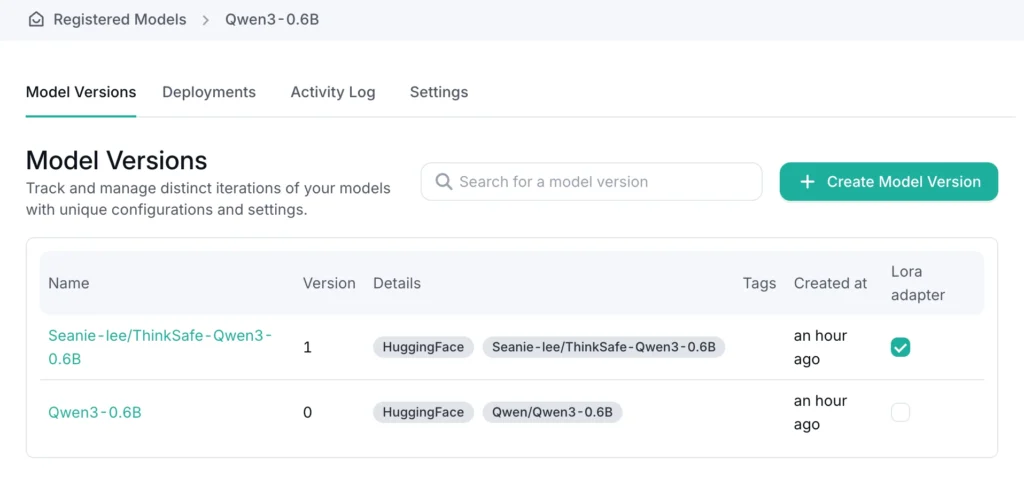
OICM makes it easy for you to register models from various sources, be it a cloud S3 compatible object store, a private object store in your intranet, or even direct from Hugging Face. After that, everything runs in your cluster.
Once you have a base model and LoRA adapters registered in OICM, deployment is a few easy steps:
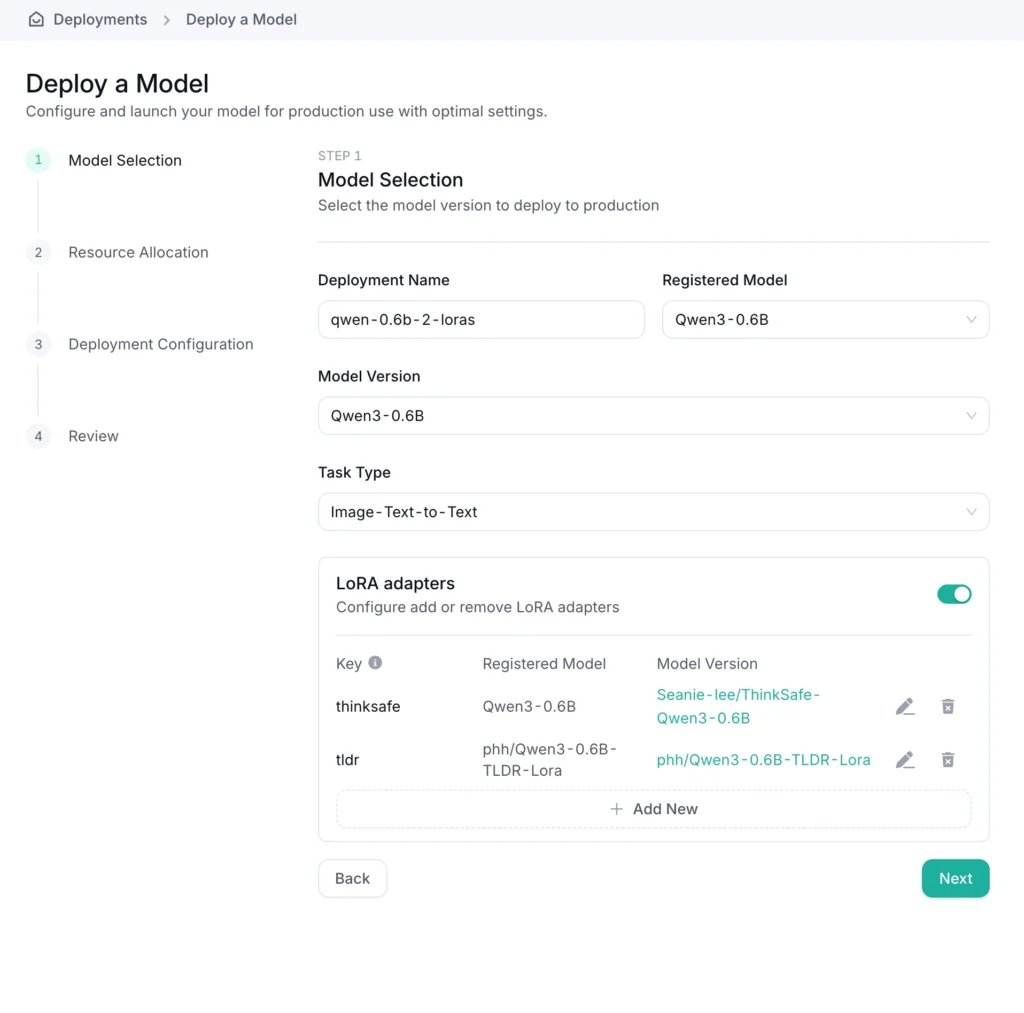
Create a new deployment from the model registry,
Select your base model,
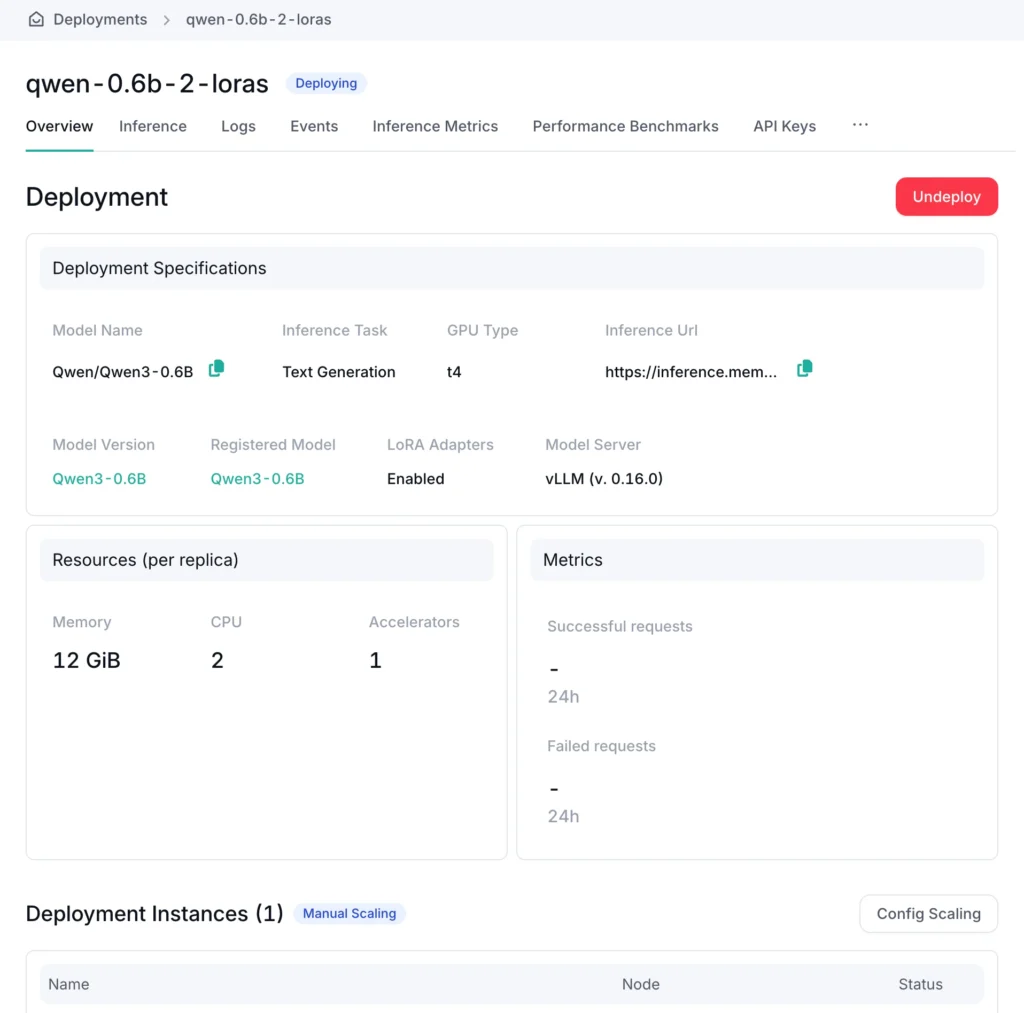
Add a compatible LoRA adapter (or two, or three…)
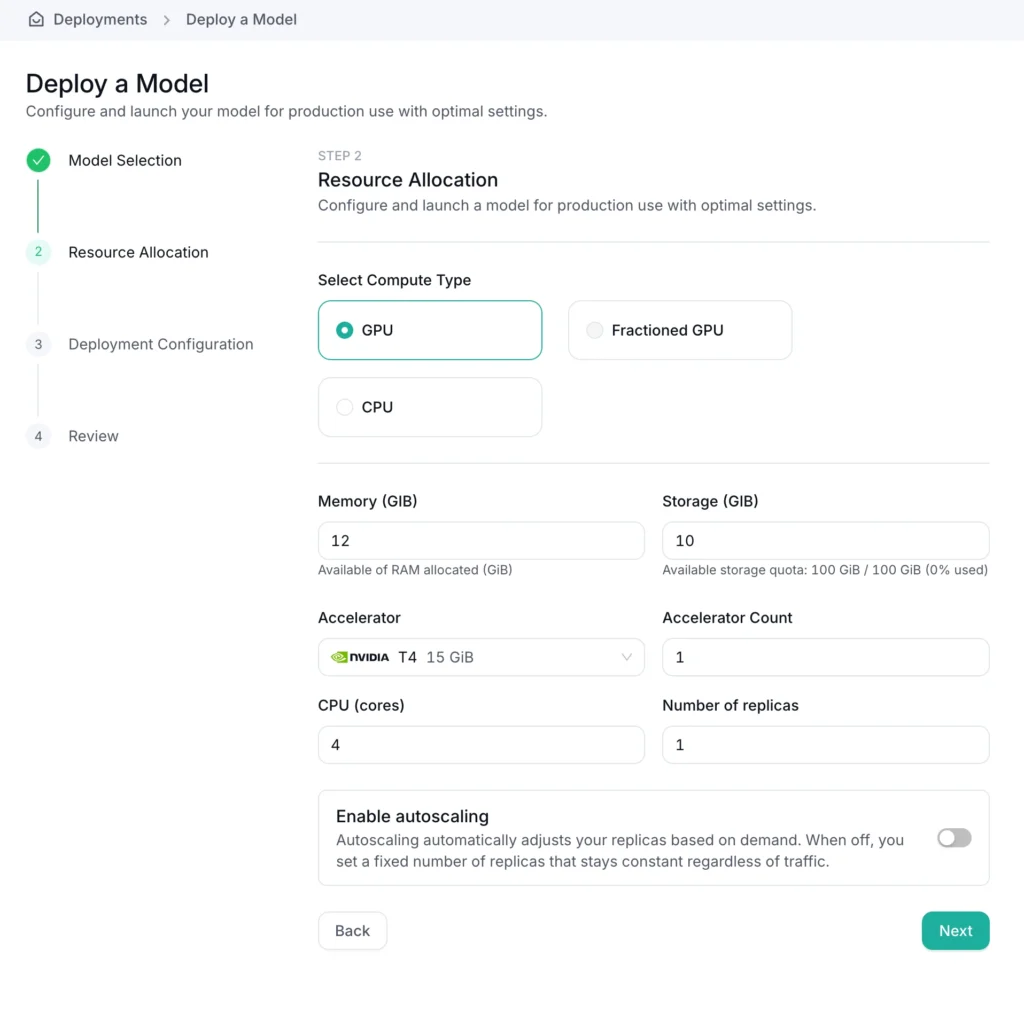
Define the GPU and resources needed to run your workload
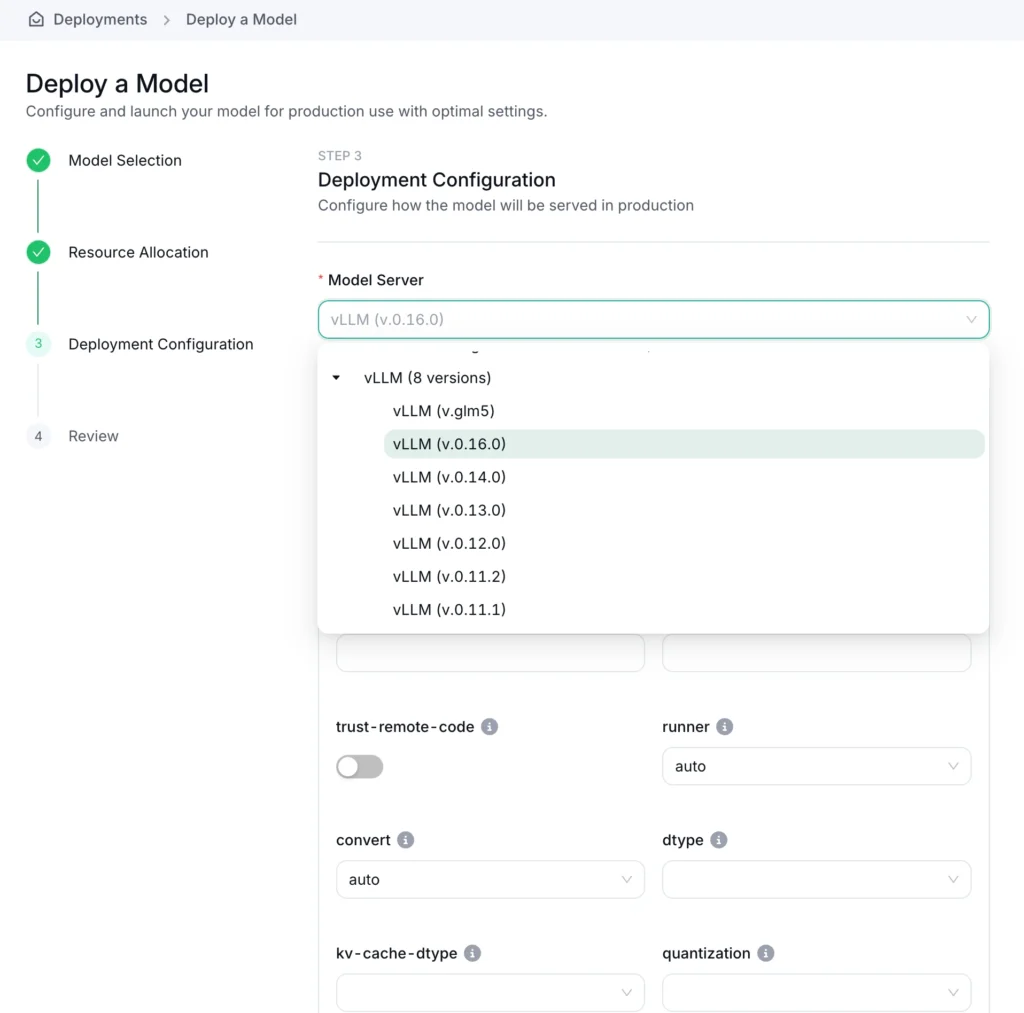
Choose a model server (like vLLM), set the arguments
Deploy your workload.
OICM automatically downloads and connects LoRA adapters to the base model.
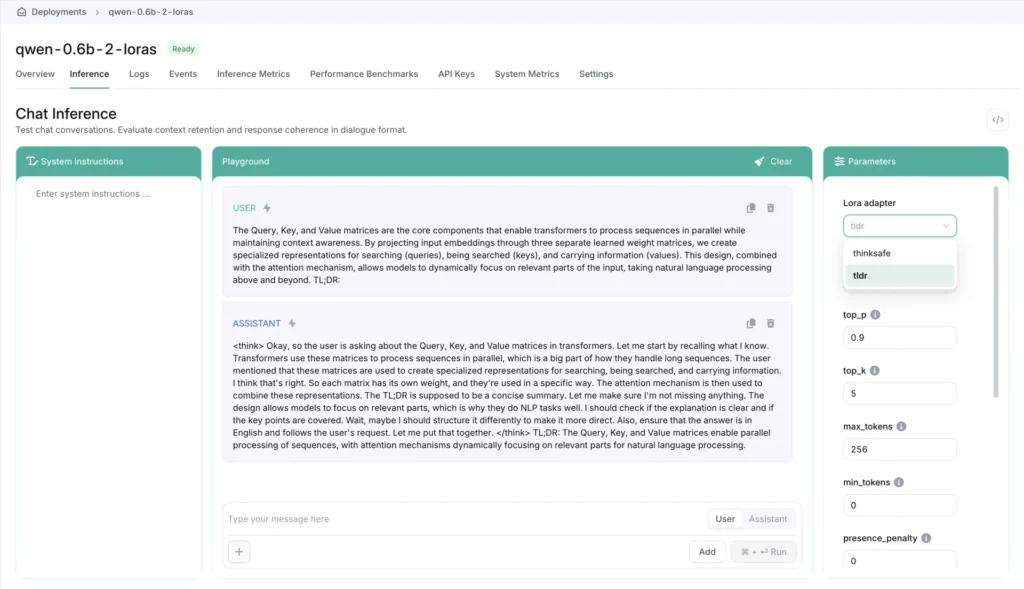
On the OICM Inference tab, you can choose to interact with the base model or any of the LoRA adapters that were deployed alongside it.
Conclusion
The era of self-hosted LLMs are upon us: teams across the globe are releasing ever-capable models while hardware support for running LLMs is widening. Today, a 600M parameter Qwen3-series model runs at ~25 tokens per second on a Raspberry Pi 5. With a little effort, training your own LoRA adapters is now more achievable than ever. Now, you can really have an LLM you can call your own.
A technical look inside OI Parser, the document extraction layer underneath our agentic platform, and how it preserves structure across PDFs, spreadsheets, presentations, scans, and other enterprise documents to produce data AI systems can reliably use.
Air-gapped AI environments require a fundamentally different approach to deployment and operations. Learn how Engine Fabric helps organizations manage AI workloads, models, data, and GPU resources securely within fully isolated infrastructure.